How to set e-mail forwarding in KUMOI.
Log in to KUMOI from a PC by accessing https://outlook.com/st.kyoto-u.ac.jp , then go to [Settings (gear icon)] → [Mail] → [Forwarding] and configure the following settings:
- Turn on Enable forwarding.
- Enter the destination email address in Forward my email to.
- Check Keep a copy of forwarded messages.
After completing the settings, click Save.
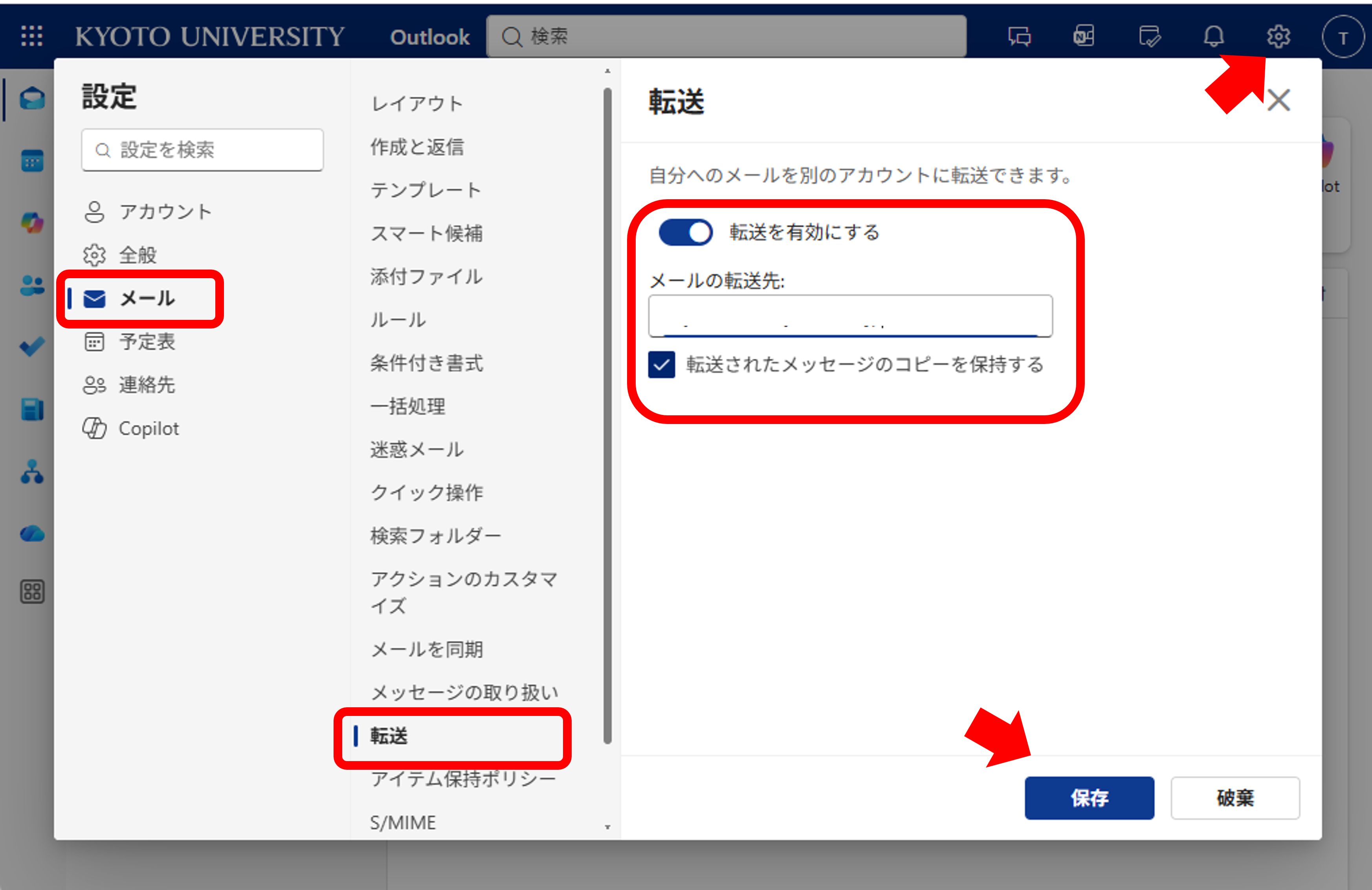
Important: Be sure to check Keep a copy of forwarded messages. If this option is not enabled, forwarded messages may not be retained on the server and could be lost if the forwarding process fails for any reason.
FAQ - SubCategory